So, we are now entering a new section and we are Getting Started. Yeah, that’s the title of the section, so I must believe that we are now finally going to write some code.

Lecture 25: Section Overview
This is just a section overview, just as the title say. Nothing special, let’s continue.
Lecture 26: An Overview of the CodeLite Interface
This is a very nice video as it tells you how you can change the layout of the CodeLite IDE to your own personal preference.
I personally didn’t change it up to much. Just removed a few tabs the Workspace view I don’t think I will be using for now and also moving it to the right side of the window. That way it looks a little bit more like my setup in Visual Studio 2017. I also fiddled around with the themes to find one to my liking and ended up using Tomorrow Night as my theme.
Lecture 27: Writing our first program
We write a small program to type a message to the user and get an answer from him. We started with the template we made earlier, but deleted the source and wrote everything from scratch. This is a nice educational move as it will teach you more about the structure of a C++ program when you have to write everything yourself instead of starting from a random template.
We learn some basic input/output functions of C++ and the difference between the insertion and the extraction operator. There is a small mention of namespaces, variables and how we include libraries.
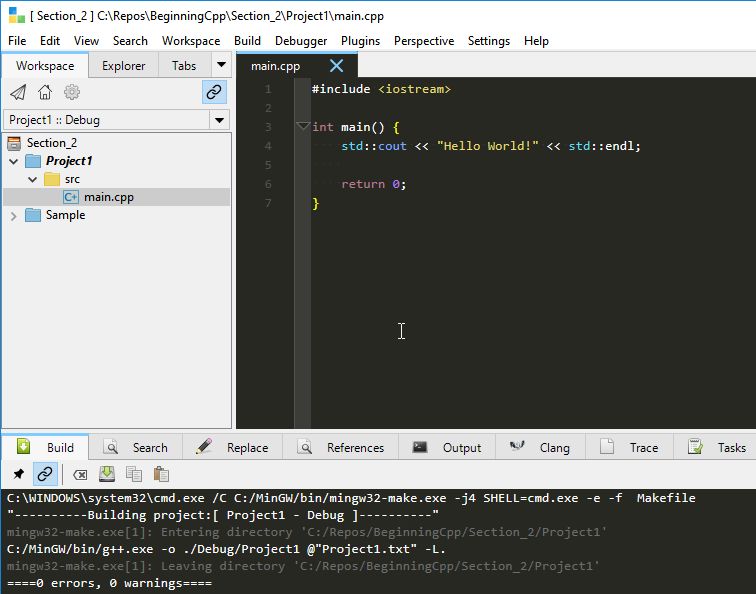
We end up with a short little program that we compile and hopefully end up with zero errors and warnings. I managed to bork it with some missing colons, but happily nothing I didn’t know how to fix.
The instructor also shows us that since we made our own template and based this project on that, we can see that CodeLite instructs the compiler to use the C++14 standard.
So again nothing special, but this is Beginning C++ after all and we all have to start somewhere.
Lecture 28: Building our first program
We learn more about compiling and building a project. What are source-files, object-files and executable files? The instructor also goes through the different options CodeLite have for compiling, building, rebuilding and cleaning files and projects.
The course also tells us more about the difference of the files we see in the Workspace and what is really on the disk. There are many files on the disk that we as developers don’t need to know about, at least not at this moment, but it’s nice that the course explains them anyway.
For beginners in C++ this is maybe not fully understood right now, but it’s something you need to know when your projects gets bigger and more advanced. But we’re still in the introduction stage learning basics that are important to know to set up your workflow and understand what’s happening if something goes wrong.
Lectures 29-33: What are different types of errors?

These videos goes through the following types of errors:
Compiler errors
The instructor creates a new project and shows us some common compiler errors and some ways on how to fix them.
Compiler warnings
What’s the difference between a warning and an error? Well, here you get an explanation. In short, it’s not “real” errors in your program, but it warns you about things that might give you unwanted or unexpected results.
Seems like g++ is fairly good at giving error messages and warnings that you can understand. And CodeLite also helps you find the error as if you click on an error message, the IDE will jump to the place in the code where the error is reported.
Linker errors
These errors are a little bit more tricky to find. A program might compile without warnings, but when you build it you might get a linker warning. These errors can be more tricky to find in your source.
This is something we probably won’t be having much in this course since we’re doing all the coding ourselves, but when you create large projects and try to link other libraries etc this is something that can happen.
Runtime errors
Runtime errors are errors that happen when you’ve taken care of all the bugs in your program, compiled and built it and made the executable file. Then some user runs your finished program and gets an error and yells at you, even after all your hard work.
These are errors that you can’t really avoid. Sometimes a user gives you strange inputs, a file can be missing or something like that.
These errors can make your program crash, so you have to use Exception Handling to deal with them. Exception handling will be a topic for later in the course.
Logic errors
Logic errors are errors that the compiler won’t help you with and doesn’t stop you from building your program. These errors are made by the programmer during writing of the code.
These errors can really only be found by doing thorough testing of the program before you send it to end users.
Lecture 34: Section challenge
Fairly easy challenge here as everything you need has been shown to you in the previous videos.
What you need to do is to make a program that asks the users for his favourite number and get that from him. You will then say that it’s also your favourite number and confirm that the number the user typed really is your favourite number.
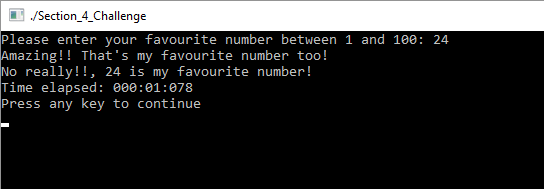
If you want to see my solution you can check out this gist. You shouldn’t really need to look at my solution to solve this challenge, but it’s there if you need it.
Lecture 35: Section Challenge – Solution
Well, not surprisingly the solution the instructor shows us are more or less identical to my solution.
Quiz 1: Section 4 Quiz
The section ends with a quiz with 10 questions relating to the topics covered. Shouldn’t be too hard, but it’s nice to get a review of the topics to see if you understood the material.
 d-Fect Inc.